Let the light choose your next move
- Connect both units to power and check whether the subwoofer links automatically when you turn on the soundbar.
- If it keeps blinking blue, move to manual ID SET pairing.
- Match the soundbar-side pairing control to your model. A solid blue LINK light is the connection goal.
If both boxes are powered but the subwoofer's light won't settle, we'd try manual pairing next because Samsung specifically provides it for failed automatic connections. Follow the changes on both units as you work: the subwoofer has its own pairing step, and the soundbar needs its corresponding ID SET step.
The US procedure below uses visible indicators as the endpoints for button holds. That gives you something concrete to check before moving from the subwoofer to the soundbar, especially if you've already tried holding a button without getting the response you expected.
Check power and automatic linking first
Connect each power cord to the back of its unit, then plug both the soundbar and subwoofer into wall power. Check both connections before starting: the Samsung US pairing procedure (opens in a new tab) begins with power connected to each box, even though you'll turn the soundbar off for part of manual pairing.
If your setup has an AC/DC adaptor, place it on a flat surface, such as the floor or a table. That's the placement precaution in Samsung's Australian power-connection guidance (opens in a new tab), which is specifically for Australian products.
Turn on the soundbar and watch the subwoofer's blue LINK indicator. Automatic connection should begin, and a successful link makes that light stop blinking and glow continuously. If that happens, the connection is complete and you can leave the manual pairing controls alone.
Continued blinking means automatic connection hasn't succeeded. That's your branch into the manual procedure, so keep track of that result before changing any pairing controls.
Get the right controls ready
Get your soundbar remote ready and locate the ID SET button on the back of the subwoofer. You'll use a small pointed object for that rear button, so have it ready before beginning the sequence.
Some soundbars also have an ID SET button on the soundbar itself, which you can use instead of the remote. Otherwise, the remote is required to perform ID SET. This is the key distinction if you're trying to reconnect without a remote: the alternative depends on a control on your soundbar.
The subwoofer's rear button and a soundbar's own ID SET button handle different parts of the connection. Finding the rear button gets you ready for the subwoofer stage; completing the sequence also requires the soundbar-side control described in Samsung's US pairing guidance (opens in a new tab).
Manual pairing is also the route Samsung gives after either unit has been serviced or replaced, or after the soundbar has already been factory reset. Those situations lead into the same reconnection procedure.
Pair the subwoofer and soundbar manually
Leave both power cords connected for this procedure. The distinction between connected to power and turned on matters here: the soundbar needs its power connection, but its remote-button hold happens while the soundbar is off.
Work through the US manual-pairing sequence (opens in a new tab) in order. The first hold has an endpoint on the subwoofer, the second has an endpoint on the soundbar, and the final action brings the two together.
- Use a small pointed object to press and hold ID SET on the back of the subwoofer. Continue until STANDBY turns off and the blue LINK light blinks quickly.
- With the soundbar turned off, press and hold Mute on its remote. Continue holding until ID SET appears on the soundbar's display.
- Turn on the soundbar while the subwoofer's blue light is blinking to finalize the connection. Watch the subwoofer's LINK indicator for the result.
Rapid blue blinking during the first step is the response you're waiting for, so it belongs at that stage of the process. The ID SET message then gives you the soundbar-side checkpoint before the final turn-on action. Judge the completed attempt after that action, rather than treating the earlier blinking as the final result.
When Mute doesn't bring up ID SET
If holding Mute doesn't initiate ID SET, try holding Up instead. Samsung includes that alternative in its US instructions for model-dependent pairing controls (opens in a new tab), so the remote button can differ across soundbars.
Watch for the pairing response on the soundbar. If your button press hasn't initiated ID SET, you're still at the soundbar-control stage of the attempt, even if you've already completed the subwoofer's rear-button hold.
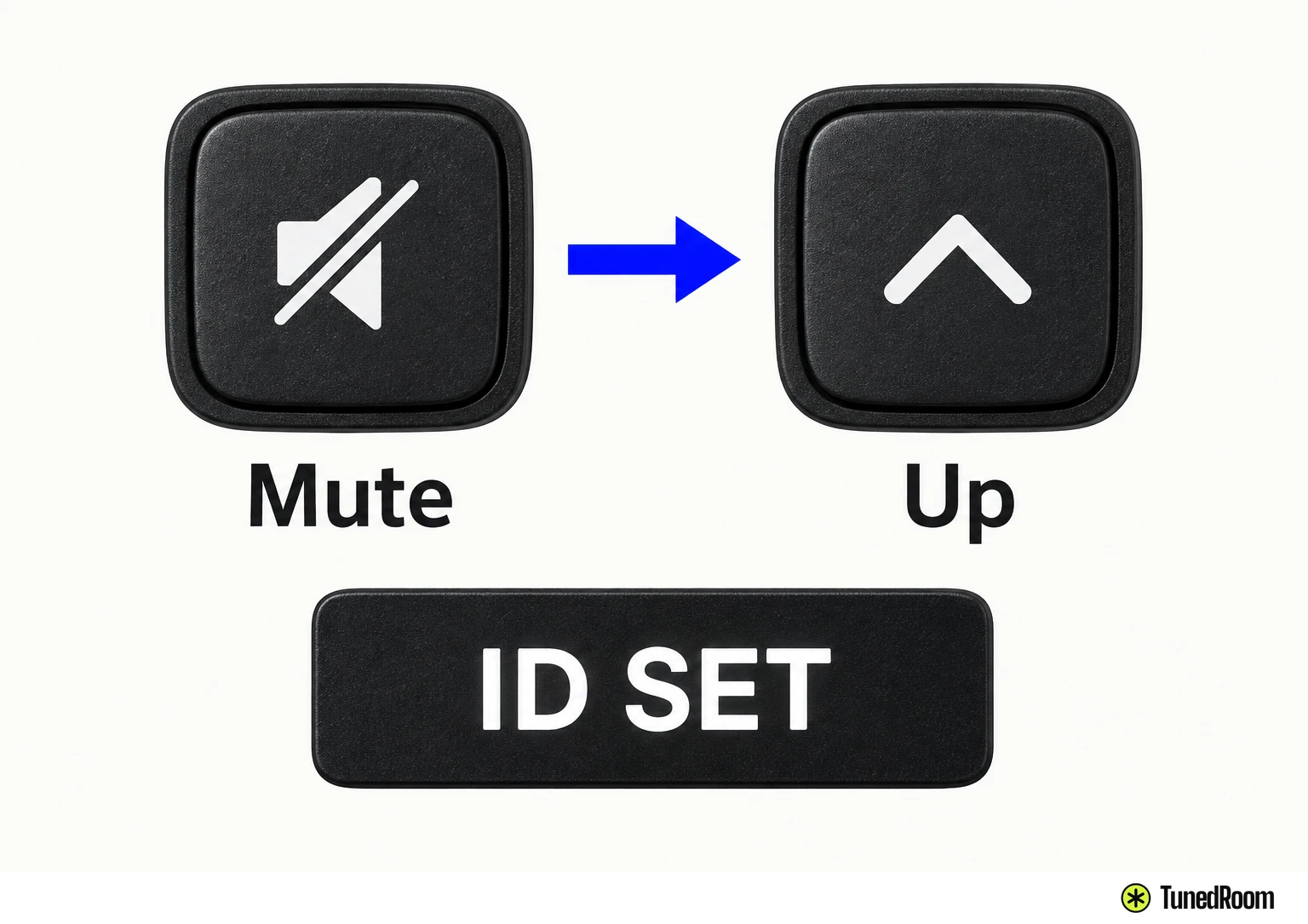
If neither Mute nor Up starts ID SET, consult your soundbar's own user manual for its pairing instructions. Use the instructions for your particular model at this point, including its soundbar-side control, before continuing with another attempt.
Why another Samsung page gives different steps
Keep regional procedures together when comparing button advice. Samsung's Australian connection page (opens in a new tab) explicitly applies only to Australian products and says models, sequences or settings vary with location or where the product was purchased.
For that Australian manual-pairing sequence, turn the soundbar off, then hold ID SET on the rear of the subwoofer for at least five seconds. Next, hold Up on the remote for five seconds. ID SET appears briefly on the soundbar's display and then disappears.
In that sequence, the soundbar automatically powers on when ID SET is complete. A solid blue LINK indicator confirms the connection. Those timed holds and the automatic power-on behavior belong to the Australian instructions.
For the US route, we'd follow the indicator-based holds and the instructed turn-on action because those are the checkpoints in Samsung's US sequence. A different regional page can explain why you've seen different advice, while your model's instructions settle which controls to use.
Read the result and get help if it still fails
After completing manual pairing, look for a solid blue LINK light on the subwoofer. That confirms the soundbar and subwoofer are connected. The display message during setup and the final LINK state answer different questions: one marks the soundbar's ID SET stage, while the other confirms the finished connection.
If the blue light is still blinking, the attempt has failed. Turn off the soundbar and restart at the rear subwoofer ID SET step, then work through the soundbar-side steps again. That retry begins with the subwoofer button, with the power connections already in place.
If connection trouble remains after the retry, contact Samsung using its US subwoofer connection support page (opens in a new tab). Describe where the sequence stopped: whether STANDBY went off and LINK blinked quickly, whether ID SET appeared on the soundbar, and whether LINK kept blinking after the final turn-on step.
More in this category