Get the two speakers connected
- Use the receiver’s speaker outputs for passive speakers. Powered speakers with line inputs need a line output and their own power.
- Turn off and unplug the receiver before handling speaker wire.
- Run a separate two-conductor cable to each speaker. Match left to left, right to right, and positive to positive at both ends.
- Secure every strand, then test both channels at low volume. Stop if the receiver shuts off or smells hot.
The receiver sends amplified sound down each cable to a passive speaker. A loose end can silence one channel, while copper touching another terminal can shut the receiver down. We’d start with one cable per speaker and bare wire if the terminals accept it, because that makes each connection easy to inspect.
These instructions are for passive home speakers connected to speaker-level outputs. A powered speaker with a line input needs a compatible line output instead; connecting an amplified speaker output to that input can damage it.
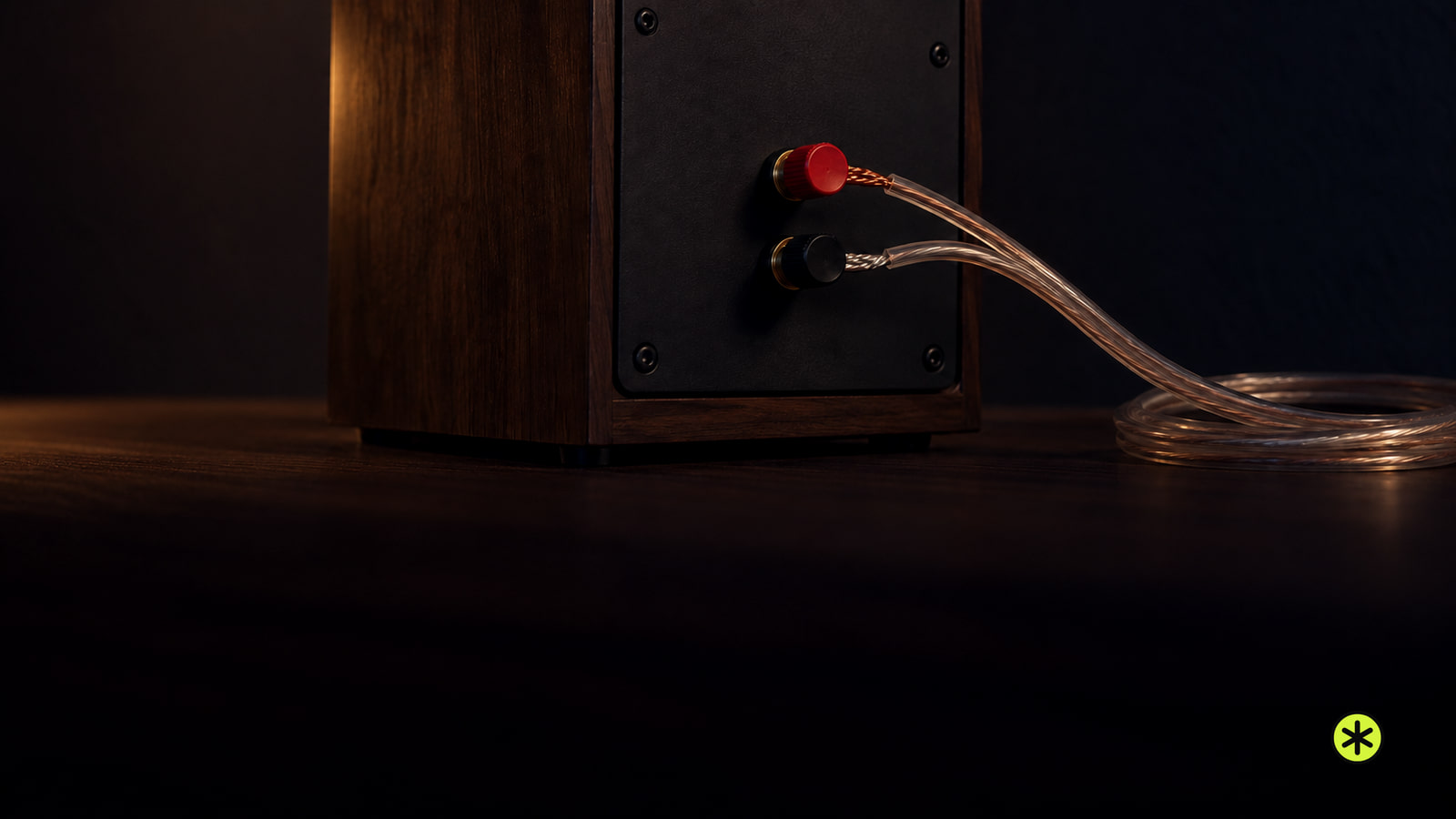
Choose wire and cut each run
Measure the route from the receiver to each speaker separately with a tape measure. Follow the path the cable will actually take, then add about 20 percent for routing and slack at both ends. Total both measured runs with that slack before buying a spool. Cut with a wire cutter after confirming each cable reaches its terminals without being pulled tight or pinched.
Use two-conductor copper speaker wire. AWG numbers run backward: a lower number means thicker wire, which helps control resistance on a longer run. These lengths are one-way routes for a single speaker.
| Route length | 4-ohm speaker | 8-ohm speaker |
|---|---|---|
| About 10 feet | Use 16 AWG copper. | Use 16 AWG copper. |
| About 25 feet | Use 14 AWG copper. | Use 16 AWG copper. |
| About 50 feet | Use 12 AWG copper. | Use 12 AWG copper. |
| About 100 feet | Use 10 AWG copper if the terminals accept it. | Use 10 AWG copper if the terminals accept it. |
At 100 feet, confirm that 10 AWG fits both terminals before wiring. A 50-foot spool of 16 AWG for accessible runs costs $20 to $35.
Find each speaker’s impedance on its label or specifications sheet. In the receiver’s speaker-impedance instructions, find the minimum for the outputs and operating mode you’ll use. A 4-ohm speaker cannot go on an output rated for 6 or 8 ohms minimum. Some receivers that accept 4- or 6-ohm speakers require a matching impedance setting before playback. Make that setting in the order the receiver specifies, confirm it on the display, then turn off and unplug before handling wires. The receiver covered by Yamaha’s impedance instructions (opens in a new tab) has different minimums for front and other outputs. If a cable goes inside a wall, use in-wall-rated wire that meets the local requirements for that route.
Attach the wire to each terminal
Look for a stripe, writing, color, or raised texture that distinguishes one conductor from the other. Choose that conductor for positive and follow it from receiver to speaker. The marking identifies the conductor; it does not give the wire an electrical polarity of its own.
Use a wire stripper to expose about 3/8 inch of copper at each bare-wire end for typical terminals, or follow the strip length specified for your speaker terminals or plugs. Twist each bundle of strands tightly so a loose strand cannot reach the neighboring terminal.
- Turn off and unplug the receiver, then identify its left and right speaker outputs.
- At the left output, put your chosen positive conductor in the positive terminal, usually red, and the other conductor in the negative terminal, usually black. Repeat at the right output. The left and right cables now leave from their matching channels.
- For a spring clip, press the clip, insert bare copper into the opening, and release it. For a binding post with a side opening, loosen the collar, feed bare copper through the opening, and tighten the collar. In either case, the terminal must grip copper rather than insulation.
- At each speaker, connect the same identified conductor to positive and the other to negative. Match the receiver’s left output to the left speaker and its right output to the right speaker.
- Gently pull each wire at both ends. It should stay held. Look closely for loose strands, copper touching the opposite terminal or metal chassis, and insulation trapped where copper should make contact. Remake any suspect end while power remains disconnected.
- If both ends have banana-compatible binding posts, secure each conductor in its plug, tighten the post collars, and insert the plugs into the end openings. Give each plug a gentle pull; it should stay seated with positive and negative separate.
Make sure left and right play
Once every connection is secure, plug in the receiver, select a known playing stereo source, and start at low volume. Set mute off, select the wired speaker pair, and center the balance control. These controls can silence a sound connection, so we’d settle them before moving a wire.
- Listen at the left speaker, then the right. A left-channel test should sound from the left speaker and a right-channel test from the right. If the sides are exchanged, unplug the receiver and move the two cables to their matching labeled outputs.
- If neither speaker plays, confirm that the source is playing and the receiver has the right input and speaker pair selected. Try another known playing source. Sound from that source sends you back to the original source connection; continued silence sends you to the wiring checks below.
- If both speakers play but bass is thin or a centered voice seems vague, unplug the receiver and trace the marked conductor on each cable from positive to positive. Correct a reversed end, secure it, and replay the same music. Fuller bass and a stable center, with both speakers still playing, confirm the correction.
Add a second pair only after checking the load
Dedicated A and B speaker terminals provide a place for two pairs. They do not, by themselves, mean both pairs can play together. Read the receiver’s minimum impedance for A alone, B alone, and A+B, including any impedance setting required for simultaneous playback. Two 8-ohm speakers sharing each channel in parallel act as a nominal 4-ohm load, so compare that load with the simultaneous-use rating before selecting A+B. A multichannel receiver’s extra outputs may serve other channels or zones instead. The Yamaha A/B instructions (opens in a new tab) set an 8-ohm-per-speaker minimum for simultaneous playback on the receiver they cover.
With the receiver unplugged, wire pair A to A left and right and pair B to B left and right, preserving polarity at every speaker. Play A alone at low volume and confirm both A speakers sound. Select B alone and confirm both B speakers sound. Enable A+B only when the receiver’s simultaneous-use rating accepts the combined load.
Two equal speakers sharing one channel in parallel have both positives connected to channel positive and both negatives to channel negative. Two 8-ohm speakers then present a nominal 4-ohm load; two 4-ohm speakers present 2 ohms. That load must stay at or above the amplifier’s minimum for the selected mode.
In series, impedances add: two 8-ohm speakers total 16 ohms, and two 4-ohm speakers total 8 ohms. An open connection stops both speakers. The series and parallel speaker guide shows that separate wiring job.
If the desired parallel or A+B load falls below the amplifier’s minimum, use an impedance-matching speaker selector rated for the amplifier and speakers, or use another amplifier. If selecting both pairs triggers protection, stop playback, unplug the receiver, and return to the load and strand checks before another test.
Find the silent speaker, cable, or output
If the source and settings are right but one speaker remains silent, follow its cable from the labeled receiver output to that speaker. Unplug the receiver, then look for a loose end, clamped insulation, a cut or pinched cable, and copper touching a neighboring terminal. Reseat both ends with polarity intact. Replace damaged wire; sound returning on the intended side confirms that the cable or connection was the fault.
If it stays silent, isolate one item at a time. Unplug before every reconnection. Put a known-good passive speaker on the suspect cable and output, then test at low volume. If it plays, the original speaker is the problem. If it stays silent, connect that known-good speaker with a known-good short cable to the suspect output. Sound now points to the original cable run.
If the known-good speaker and short cable stay silent on that output, connect the same pair to an output that already worked. Sound there points to the suspect receiver output. The home theater no-sound checks cover source and speaker-selection faults that can mimic a bad output.
For a shutdown without smoke or smell, remove any touching strands, replace damaged cable, and confirm the load meets the receiver’s rating. Test one known-good speaker and short cable at low volume. Another shutdown, a failed output under that test, or a speaker that fails on a known-good output ends the owner checks.
Contact the product maker or its authorized service provider for a possible warranty claim; otherwise contact an independent audio repair shop that handles the affected equipment. Give them the model numbers, speaker impedance, number of pairs playing, any protection message, heat or smell, and the results of the source and swap tests. For a speaker that fails on a known-good output, request a written diagnosis and repair price. For a receiver output that fails the short-cable test, compare a written output-stage repair quote, including diagnosis, with a comparable replacement after checking warranty coverage.
| Class | Products priced | Product price |
|---|---|---|
| Standard 5.2-channel AV receivers | Sony STR-DH590 and Denon AVR-S670H | $500 to $520 |
| Premium nine-channel AV receivers | Denon AVR-X3800H and Sony STR-AZ3000ES | $1,400 to $2,200 |
Keep the connections sound
Leave enough slack to reach the terminals when you move the receiver for cleaning. Keep cable away from furniture edges that pinch it, and inspect an accessible run when a channel first cuts in and out.
Questions after wiring
Do both speaker cables need to be the same length?
No for ordinary home runs. Cut each cable for its actual route, with about 20 percent extra for slack; choose its gauge by the one-way lengths in the wire table.
What if my speaker has four terminals?
On a speaker marked for bi-wiring, unplug the receiver and leave both jumper links installed for a normal one-cable connection. Use either positive/negative pair, with one secure link joining positive to positive and the other negative to negative. A missing link can silence the woofer or tweeter section; after securing both links, both sections should play.
Is it safe to keep using the receiver if it shuts off after I connect the speakers?
No. A short or a load below the receiver’s rating can damage it even when protection shuts it off. Follow the unplugged wiring and load checks above; another shutdown with one known-good speaker and short cable ends testing.
More in this category