Get ready for your first listen
- For the 2024 Bose QuietComfort Earbuds, wait for the case light to glow before taking them out the first time. Pair “Bose QuietComfort Earbuds” in your device’s Bluetooth settings.
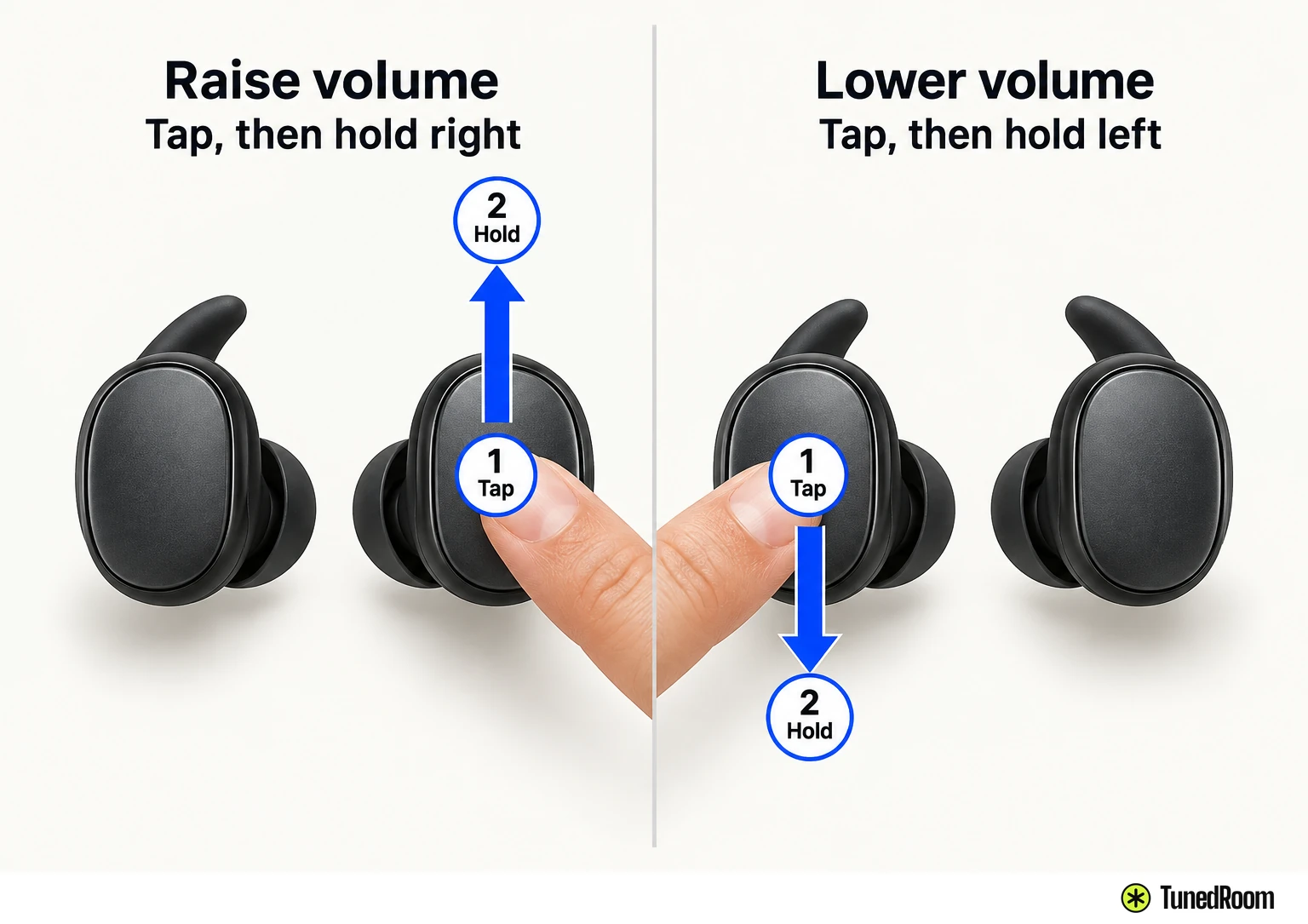
- With the earbuds in your ears, tap either outer touch surface to play or pause. Tap, then hold the right earbud for louder sound or the left for softer sound.
- Use Bose QCE when you want to change a touch control or use “Hey headphones” voice commands.
If you’ve just opened the case, getting a Bluetooth connection is the useful first move. We’d pair there before opening Bose QCE, because the app adds the earbuds after they’re connected and the default touch controls work while you’re wearing them.
Keep this control map with the QuietComfort Earbuds. QuietComfort Ultra Earbuds (2nd Gen) and Ultra Open Earbuds are separate models.
Turn your device’s volume down before putting the earbuds in, then raise it gradually to a comfortable, moderate level to protect your hearing. Keep the supplied eartips attached whenever you wear them.
If a part is missing or damaged, don’t use the earbuds; ask Bose support about repair or replacement. If you notice heat coming from an earbud while wearing it, remove it immediately.
Find a comfortable fit
Check the R and L marks, then place each eartip gently at the opening of the matching ear canal. Rotate the earbud slightly back until the tip makes a comfortable seal and the stability band rests against your ear ridge. A little back-and-forth movement can help you find that position; turning too far can affect the sound and microphone.
Check each ear separately, using a mirror if it helps. A good seal feels comfortable and can muffle background noise, though noise cancellation may change how obvious that muffling is. A squished tip presses too hard; one that sits deep, feels loose or falls out needs a different fit.
The band should reach your ear ridge without sticking out or feeling squished against it. If comfort, security or sound still feels wrong after wearing the earbuds for a while, try another included tip or band size. Your left and right ears may need different sizes; the fit instructions (opens in a new tab) show where each piece should sit.
Pair through Bluetooth settings
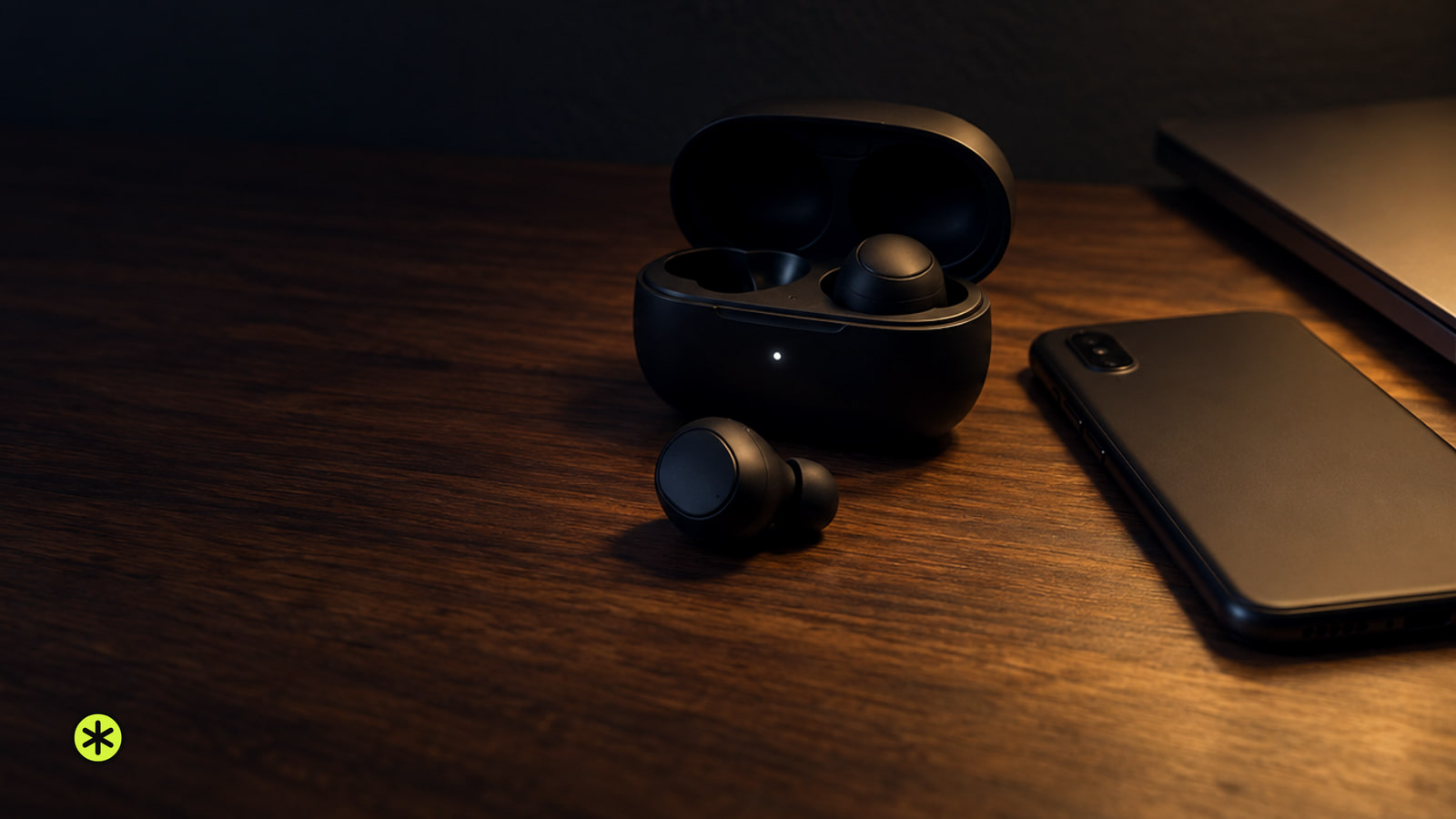
Open the charging case to power the earbuds on. On first use, leave them inside until the status light starts to glow, then remove them; they’re ready to connect. If you put them in and hear no voice prompt, return them to the case and take them out again. Close the case after removal to help preserve its battery and keep debris out.
Open Bluetooth settings on your phone or computer and choose “Bose QuietComfort Earbuds” from the available devices. Their name appearing in the connected list confirms the pairing.
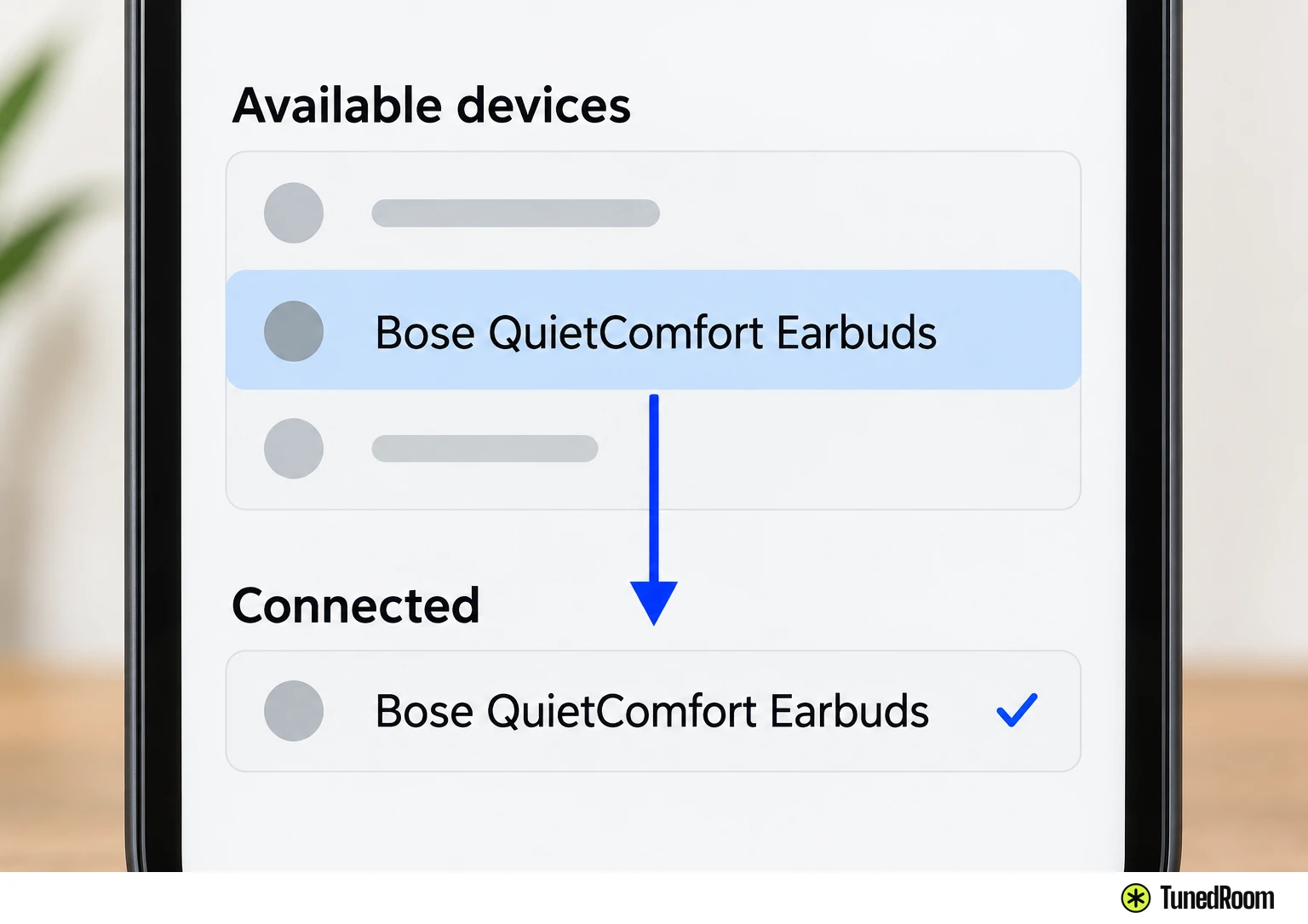
To pair with another device later, wear the earbuds and hold either outer touch surface for four seconds until you hear “Ready to pair.” Choose “Bose QuietComfort Earbuds” in that device’s Bluetooth settings, then check its connected list for the name.
The taps for music and calls
Touch the outside of an earbud while it’s in your ear. Either side handles music and calls; volume is the left-and-right exception.
| What you want | What to do |
|---|---|
| Play or pause | Tap either earbud. |
| Next track | Double-tap either earbud. |
| Previous track | Triple-tap either earbud. |
| Raise volume | Tap, then touch and hold the right earbud. |
| Lower volume | Tap, then touch and hold the left earbud. |
| Answer a call | Tap either earbud. |
| End or decline a call | Double-tap either earbud. |
Volume instructions are sometimes shortened to “touch and hold,” leaving out the opening tap. For these earbuds, start with the tap, then keep holding the side that moves volume in the direction you want.
A triple-tap at the beginning of a track restarts that track. Previous-track behavior can vary with the connected device, so listen for the restart if you expected an earlier song.
If another call arrives while you’re talking, tap either earbud to answer it and put the current call on hold. Double-tap either earbud to decline the new call and stay on the current one.
Choose Quiet, Aware or Off
Hold either earbud’s touch surface for one second until you hear a tone. The voice prompt names the mode; repeat the hold until it announces the one you want.
Quiet uses the highest level of noise cancellation to block distractions. Aware lets you hear your surroundings while listening. Off turns noise cancellation off and can conserve battery life. You can also choose a mode through Noise Control on the Bose QCE product control screen.
Change a control in Bose QCE
Download Bose QCE to your device, connect the earbuds through its Bluetooth settings, then follow the app’s instructions to add them. The Bluetooth connection comes first, so you can listen with the default controls before changing anything in the app.
On the product control screen, open Touch Controls to modify some default actions. If a tap does something different from the map above, check its assignment there. For a touch action that mutes or unmutes a call, open Fast Mute and assign a control.
Bose QCE also lets you manage earbud settings, adjust the audio and change the voice prompt language. Choose an assignment for a gesture you actually use, then try it while wearing the earbuds so you can hear what it does.
Use basic voice commands
Leave Bose QCE running on your device, open or in the background. Say “Hey headphones,” wait for the tone, then give your request. If the request doesn’t register, check that the app isn’t in your device’s sleep mode and that the earbuds aren’t updating.
Say “Play,” “Pause,” “Next” or “Previous” for playback. “Volume up” and “Volume down” make volume changes; for a larger change, say “Volume plus” or “Volume minus” followed by a number from 1 to 5. “Aware on,” “Aware off,” “Quiet on” and “Quiet off” control those listening modes.
“Previous” at the beginning of a track restarts that track, and its behavior may vary by device. If you’d rather use touch alone, open Voice Control or Settings on the Bose QCE product control screen to disable voice control.
When you take one earbud out
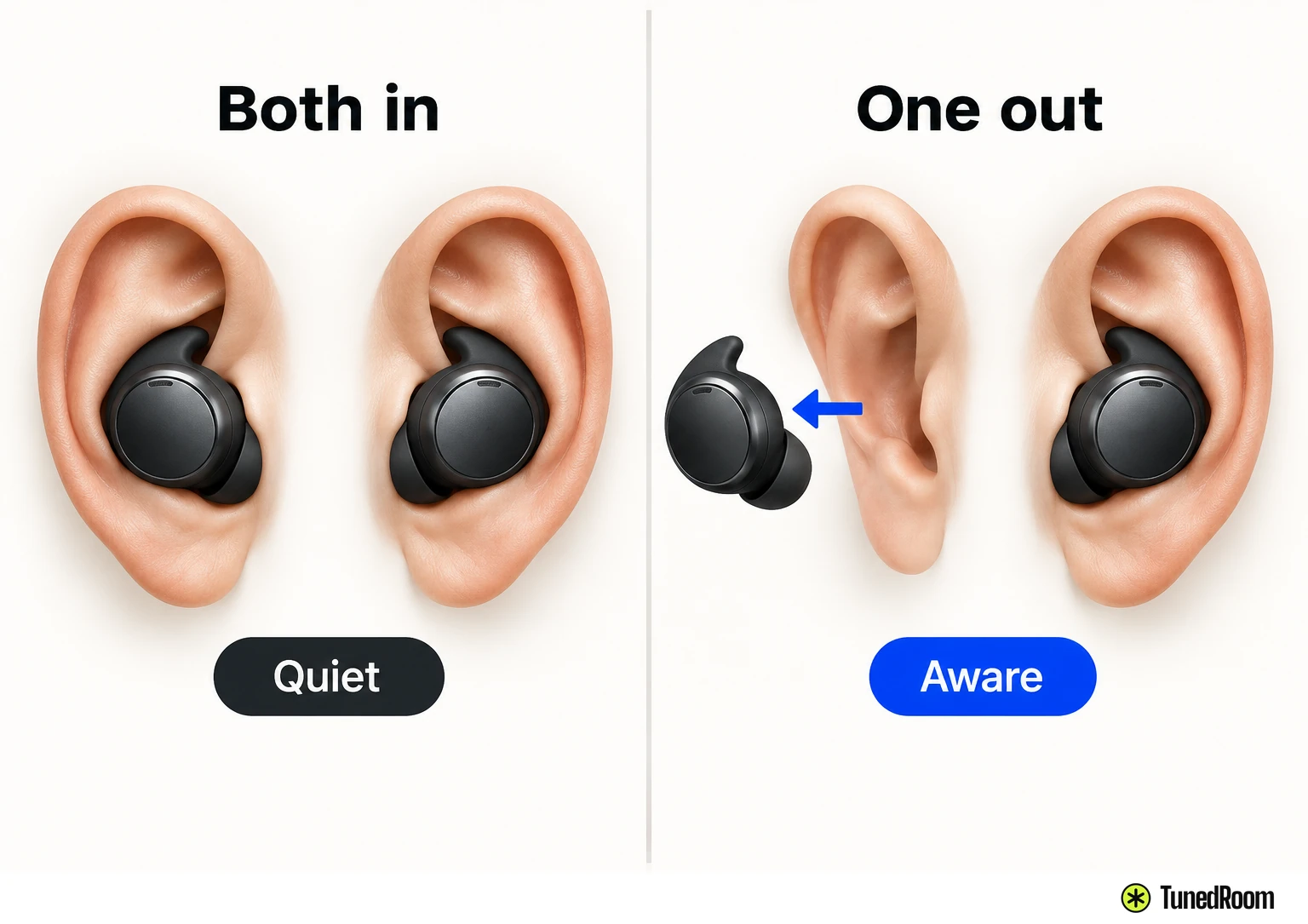
Taking one earbud out pauses audio on both. Put it back in to resume, or tap the earbud still in your ear to keep listening on one side. Inserting an earbud can also answer an incoming call.
When you remove one earbud, the one you’re still wearing changes to Aware mode. Put the other earbud back in and the remaining one returns to its previous noise-cancelling mode. You can change modes while wearing just one earbud.
Power down when you’re done
If the earbuds are in your ears but powered off, hold each touch surface for one second. You’ll hear a tone as each earbud powers on; turn on both separately if you’re wearing both.
To power them off while wearing them, double-tap, then touch and hold each earbud until you hear its tone. You can also put both in the charging case and close it. The status light glows, and the earbuds disconnect from your device and power off.
More in this category