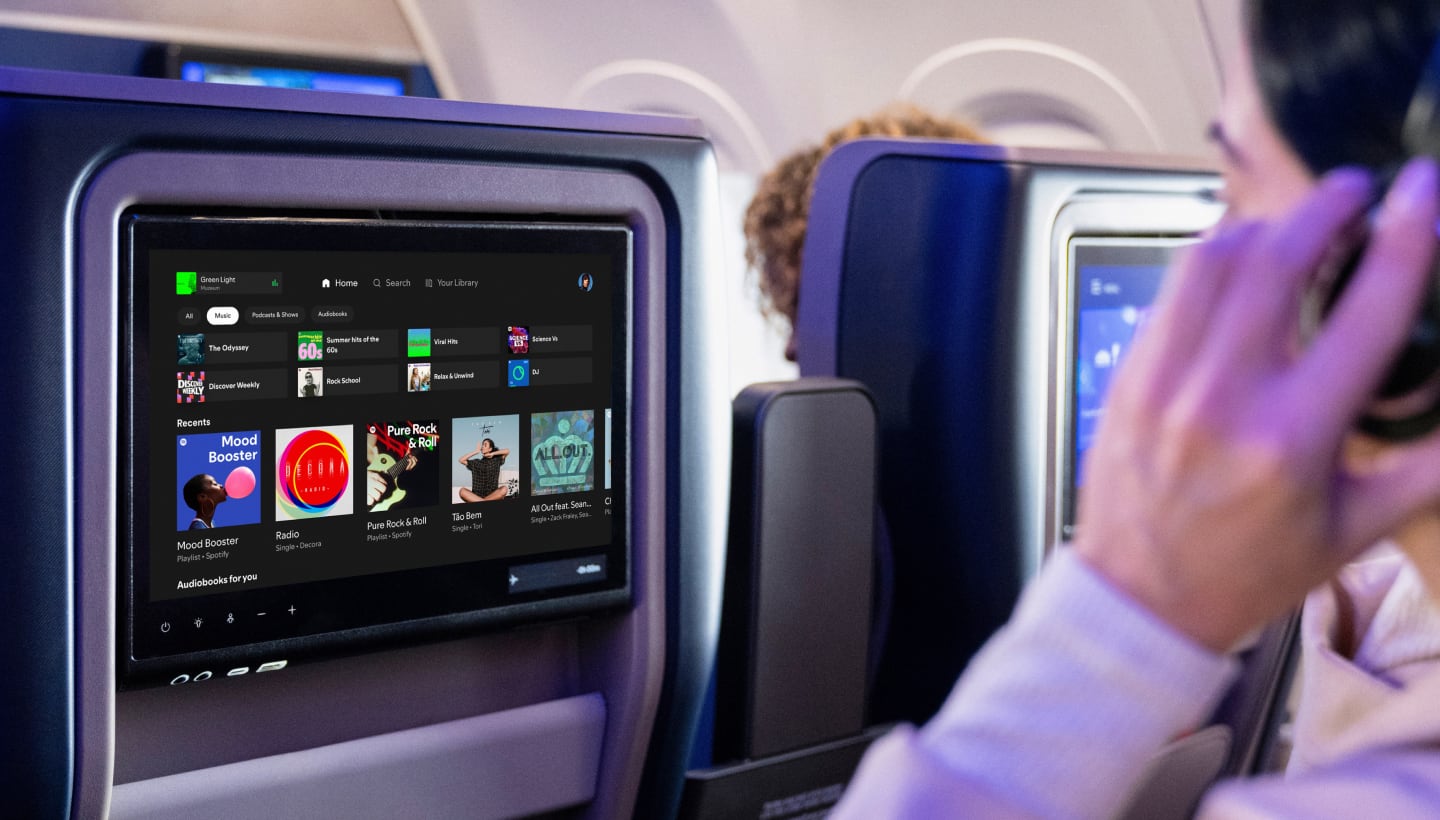
Your Spotify library reaches the seatback
Spotify is starting to roll out personal account access on United’s Starlink-equipped aircraft today, letting passengers bring their saved listening to a seatback display (opens in a new tab). Both Spotify Free and Premium accounts are supported, though the available features and playback choices vary by subscription and market.
- Works with
- Spotify Free and Premium accounts
- Connections
- Phone pairing through a QR code on the seatback display
- Available
- United aircraft equipped with Starlink; Spotify plans further expansion through 2027
The account experience includes Your Library, a personalized Home feed, saved playlists, DJ and music videos. Audio can continue as passengers use other seatback functions, such as the flight map, with playback controls available through a compact player on the display. Spotify says the rollout will reach additional aircraft through 2027.
Pair your phone before choosing something to play
On a flight with the feature, first join the WiFi network named United using your phone. Neither a WiFi pass nor a MileagePlus login is required for seatback Spotify access. Open Spotify using its seatback icon or tile, use your phone’s camera to scan the displayed QR code, then approve the pairing on your phone.
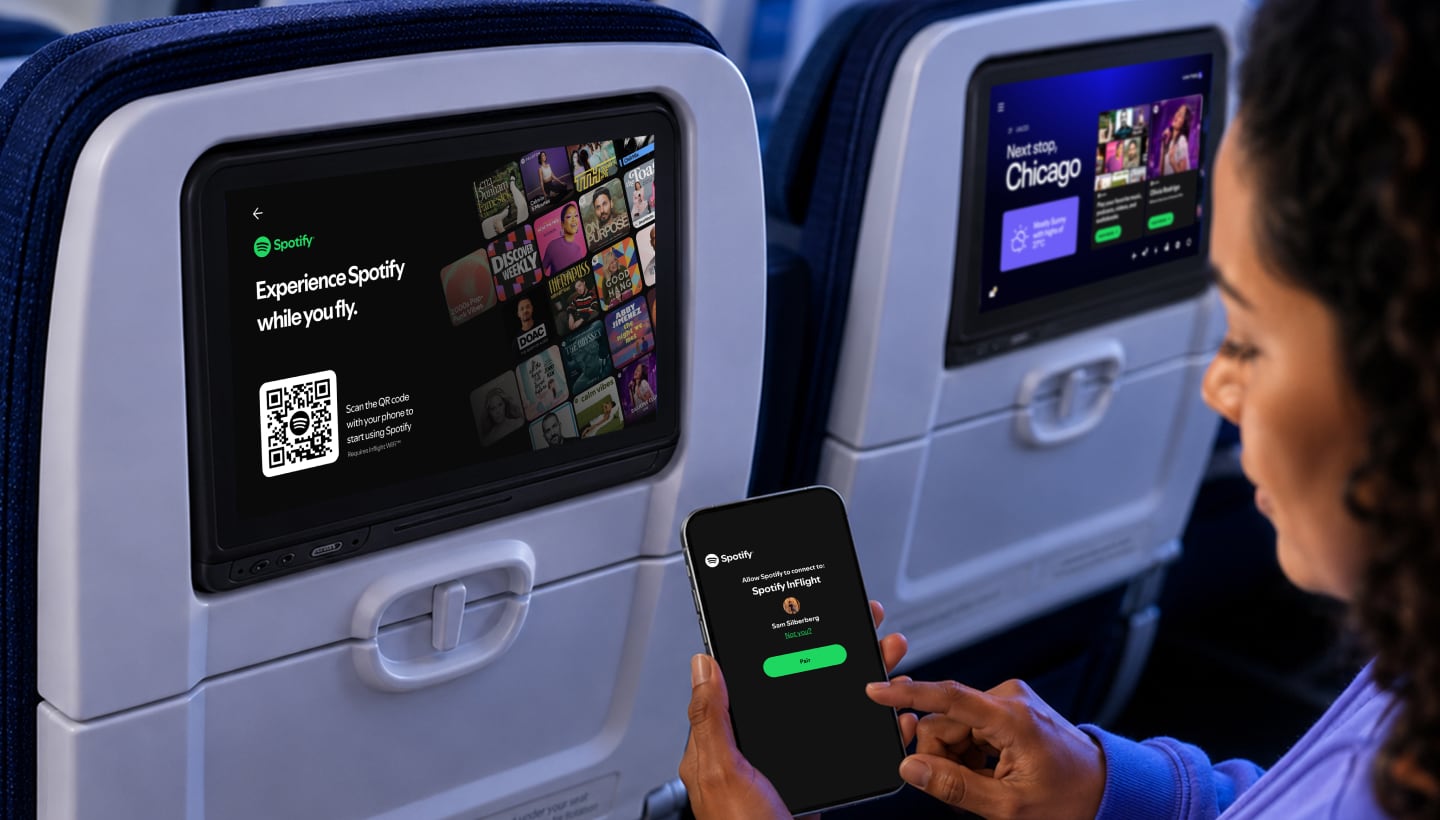
A phone already signed into Spotify connects the account automatically after confirmation. Otherwise, the phone offers login or signup. Passengers can choose content using the touchscreen or use their phone as a remote for browsing and playback control. The connected account also lets them resume content, including a video podcast.
Spotify says login happens on passengers’ phones, with automatic logout when the flight ends. The display is reset before boarding begins for the next flight, and manual logout is available within the seatback Spotify app. For flights without the new app, United’s fleet already offers a Spotify channel with 450 hours of curated music playlists, podcasts and audiobooks that passengers can access free.