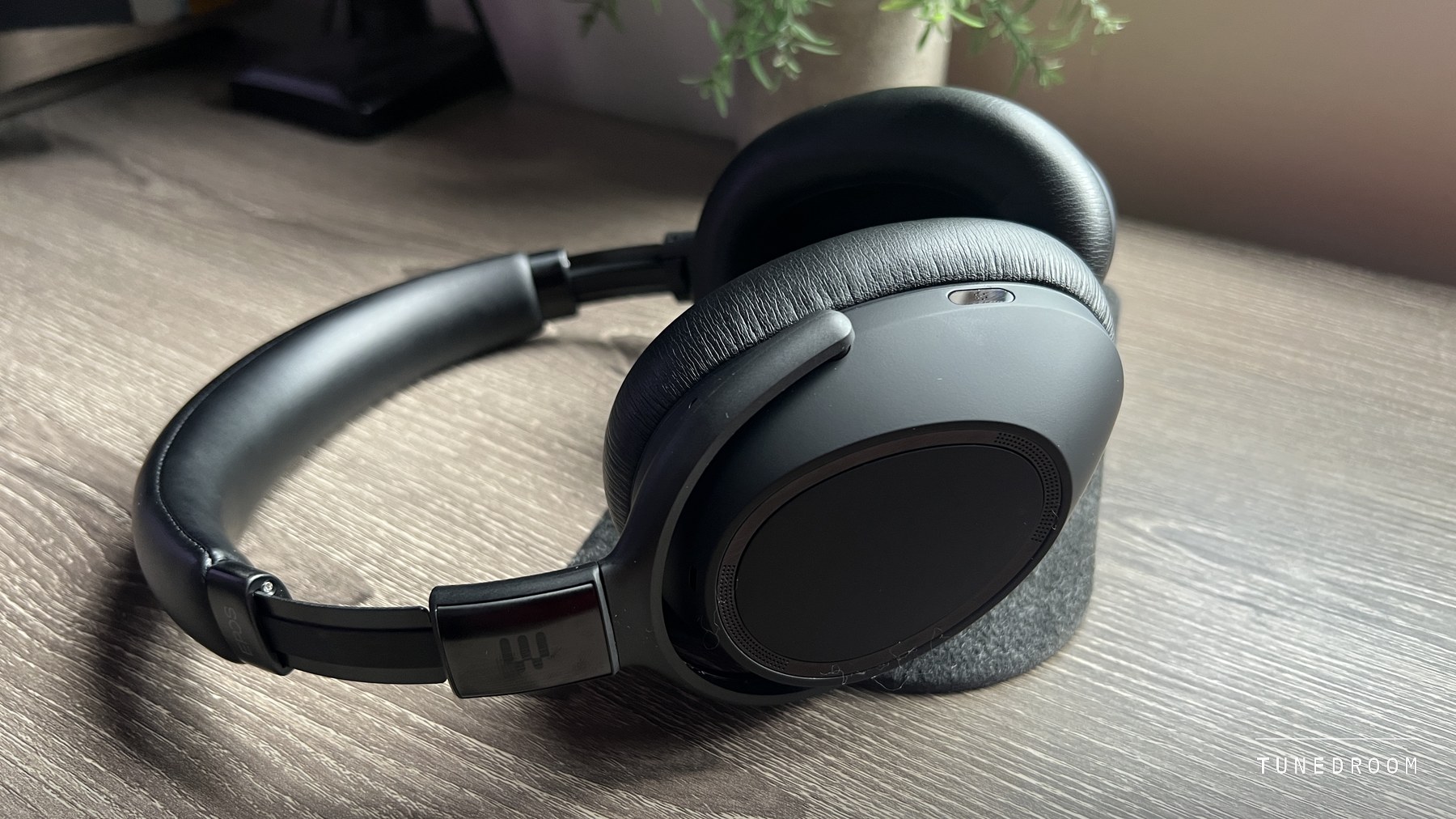
A Listening Room With a Meeting Schedule
EPOS sent me the Adapt 660 USB-C, a headset it sells to businesses for calls, and I wore it through a few weeks of full working days. Meetings ran on a laptop, calls came in on a phone, music filled the gaps, and some late nights ended with a proper listening session. For a lot of people the room they listen in longest is a home office rather than a living room, which is why this headset is here.
- Model
- ADAPT 660 USB-C, EPOS part 1001373
- Connections
- Dongle, Bluetooth, USB-C cable, 2.5 mm to 3.5 mm cable
- Bluetooth
- 5.0, two devices at once, aptX, AAC and SBC
- Bandwidth
- 17 Hz to 23 kHz for music, 100 Hz to 8 kHz on calls
- Battery
- Up to 30 hours, or 23 with cancellation on
- Weight
- 231 g
- Tested
- A few weeks on an EPOS-supplied unit
So I am judging it the other way round from how it is sold, as listening headphones that have to survive a meeting schedule, and asking what the dongle, the microphones, the certification badge and the battery do for someone who listens at a desk all day.
Everything first-hand below comes from those weeks. Where I rely on EPOS's manual and spec sheets, or on Microsoft's documentation, I say so.
What It Sounds Like Once the Calls Stop
The first thing that stands out is how little this sounds like a work headset. It is wide and open, with punchy bass that has real depth yet stays out of the way, clear mids, a detailed top end and vocals with presence. Plenty of noise-cancelling headphones sound boxed in, as though the music were happening inside the earcup. This pair does not.
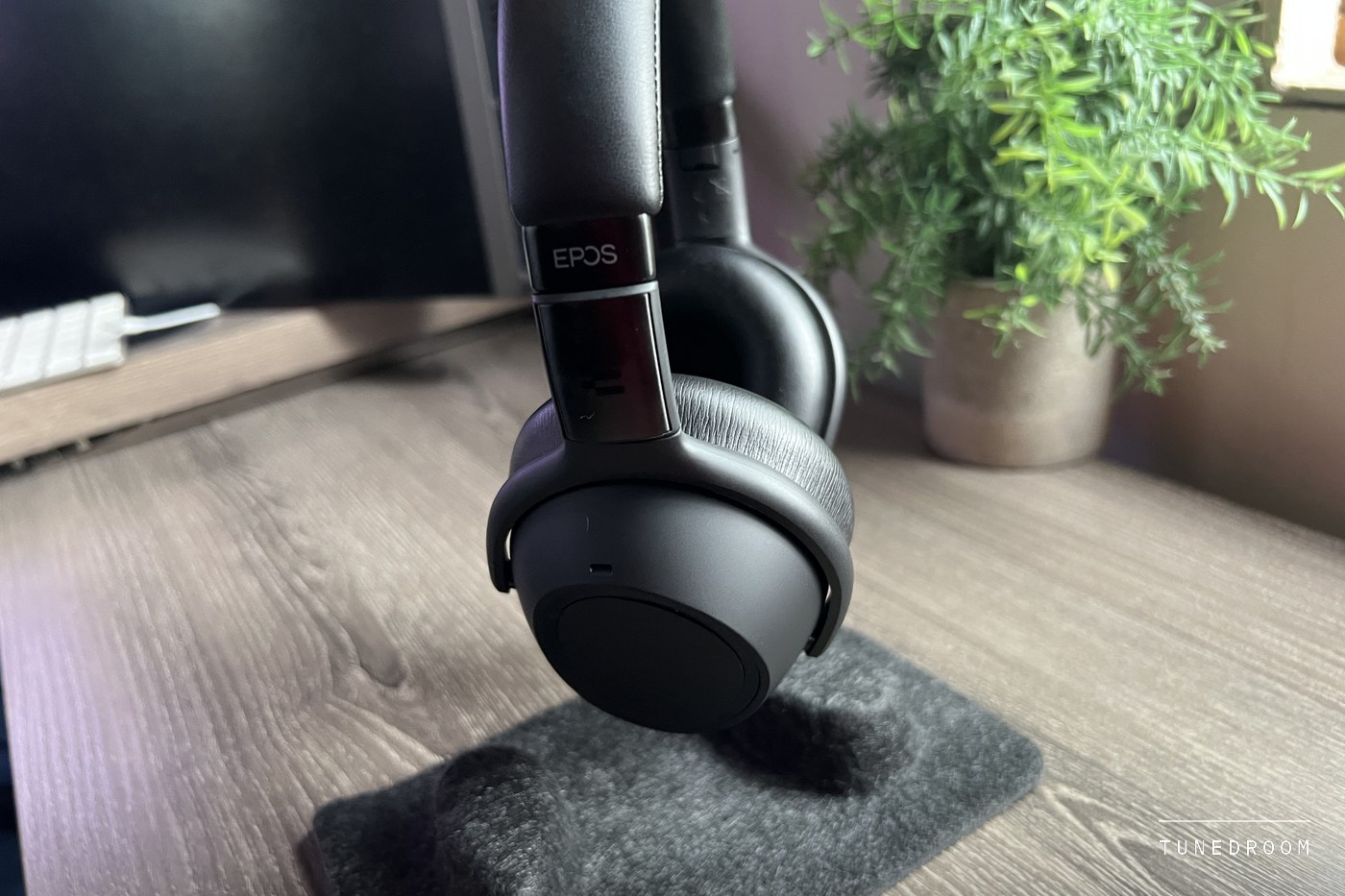
Behind it are 36.5 mm dynamic drivers in closed cups, rated by EPOS at 17 Hz to 23 kHz in music mode. The EPOS Connect app adds four acoustic modes, Neutral, Club, Movie and Speech. To my ears Club gave music more energy, while Speech strips out the bass to focus on voices, which suits a day of meetings and little else.
Most of my listening ran on a custom profile with the treble raised a little for detail, a change the headset handled well. The custom screen also offers Spatial, which EPOS says simulates external speakers, Reverb, which simulates a room, and dynamic level control. My notes cover the treble lift, not those three, so treat them as things to try.
Calls Travel in a Narrower Channel Than Music
The most useful thing to understand about a Bluetooth headset at a desk is that it carries sound two ways, and EPOS puts numbers on both. Music mode is rated at 17 Hz to 23 kHz. Speak mode, used for calls, is rated at 100 Hz to 8 kHz, which EPOS calls wideband, plenty for a voice and thin for a string section.
That limit belongs to Bluetooth, not EPOS. Microsoft's Windows documentation explains that the stereo music profile only sends sound one way, so when an app opens the microphone the link moves to the hands-free profile, mono in both directions at an 8 or 16 kHz sampling rate. Anything still playing is squeezed into that channel until the microphone closes.
The calls themselves were good both ways. The far end came through crisp and natural, and the app's Call Enhancement setting made voices remarkably clear. EPOS gives voice pickup three microphones of its own, and colleagues consistently described my end as clear and natural, with keyboard clicks and room noise kept out.
At a desk the channel switch becomes two habits. Pause the music before you join a meeting, as the headset does for you when you accept an incoming call, and if a playlist sounds flat and mono afterwards, look for an app still holding the microphone open. Across Teams meetings, Zoom calls, phone calls and Spotify over those weeks, every handover was seamless.
The narrow call channel is a Bluetooth limit that every headset like this lives with.
What the headset controls is how cleanly it moves in and out of that channel, and in my weeks with it that never went wrong.
The Dongle Is Bluetooth With the Guesswork Removed
The BTD 800 USB-C dongle in the box is not a special radio. EPOS's fact sheet describes a Bluetooth 4.2 adapter carrying A2DP for music and narrowband or wideband audio for calls, the same two channels. What changes is who manages the link. It arrives paired to the headset and needs no installation, so the connection is EPOS's job rather than your laptop's.
That showed. From box to first call, setup was quick and polished, and the laptop connection held steady, with no random drops and no re-pairing after the machine woke from sleep. The Teams button opened Teams with one press through the dongle, and that button is a fair picture of what the certification badge is about. Microsoft's program checks call controls, the Teams button and wide-band voice, and says nothing about music.
With a laptop and a phone both connected, phone calls took over while I worked and handed back when they ended, with nothing to press. Range carried to the kitchen and other rooms without losing the link.
One gap in the paperwork is that the dongle's fact sheet names no music codec, while the headset lists aptX, AAC and SBC. If that matters, pair the laptop's own Bluetooth instead. Microsoft says Windows takes the first codec on its list that both ends support, which here means AAC on Windows 11 and aptX on Windows 10, at the cost of the Teams button's link to Teams.
Adaptive Cancellation Knows When to Back Off
Cancellation uses four microphones of its own and a physical three-position switch, maximum, adaptive and off, which I used constantly through the day. Adaptive is the one to live on. It follows the noise instead of sitting at full strength, pressing harder when a room gets loud and easing off when it goes quiet, and over long sessions that felt more natural and less tiring.
It handled the noise a home office actually has. Air conditioning, background chatter and traffic all dropped back, which fits EPOS's note that continuous, even sound such as fan noise is what it suppresses, while speech is only reduced. This is good cancellation, not the strongest I have used, and if silence is the whole point other over-ears go further.
The app can tune the adaptive mode for low-frequency noise, wind or the pressure some people feel, and the headset still cancels with nothing connected, so it can simply quiet a loud afternoon. TalkThrough, on a double tap, lets a voice in and pauses or mutes the music. EPOS also claims a 67 percent cut in listening effort in noisy places, which I had no way to check.
Protection Written for an Eight-Hour Day
Some of the most useful features for a listener are ones EPOS files under workplace compliance. I wore this for full eight-hour days, exactly the exposure those rules cover. NIOSH, the CDC's occupational safety institute, recommends no more than 85 dBA averaged over an eight-hour day, and halves the allowed time for every 3 dB above that.
EPOS builds in two protections. ActiveGard guards against sudden bursts of sound on a call line, and a Noise at Work limiter, EPOS says, holds the average to 85 dB over a workday. Its app feature list shows an Audio Limiter for this headset with Off, EU/US and AU settings. I measured neither and cannot promise the limiter ships switched on, but it is the rare setting that watches a whole day of music and calls rather than one loud moment.
Separate volumes for calls, music and the headset's own tones help too, so a quiet album turned up does not leave the next call shouting, and a very high volume resets to a moderate one at switch-off.
Comfort Counted in Working Days
None of that would matter if it hurt by lunchtime, and it does not. At 231 grams by EPOS's spec sheet it is one of the lightest cancelling over-ears I have worn. Soft memory foam under leatherette shapes itself around the ear, the band's padding spreads the weight, and whole eight-hour working days went by without an ache, jaw pressure or hot ears.
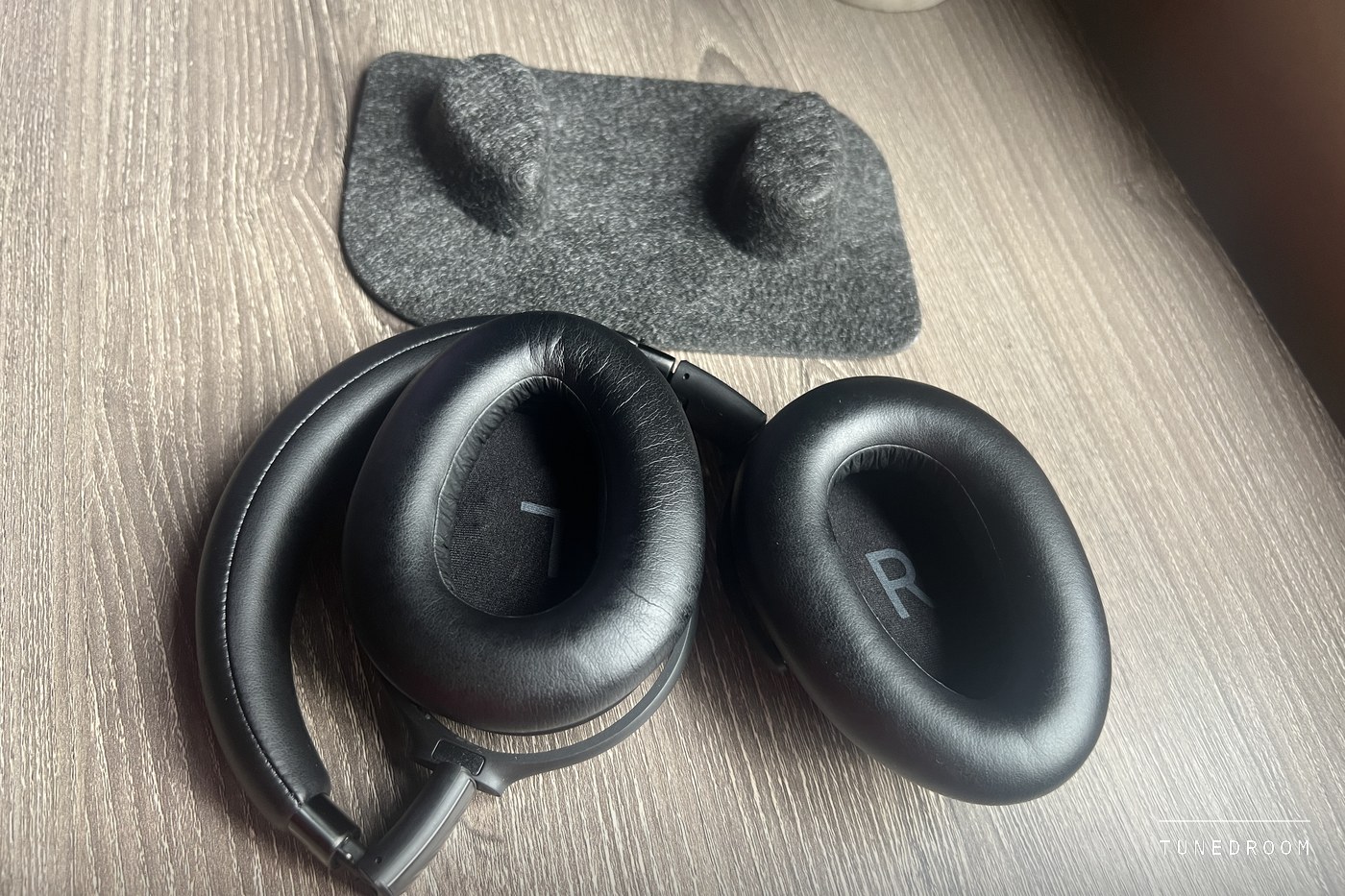
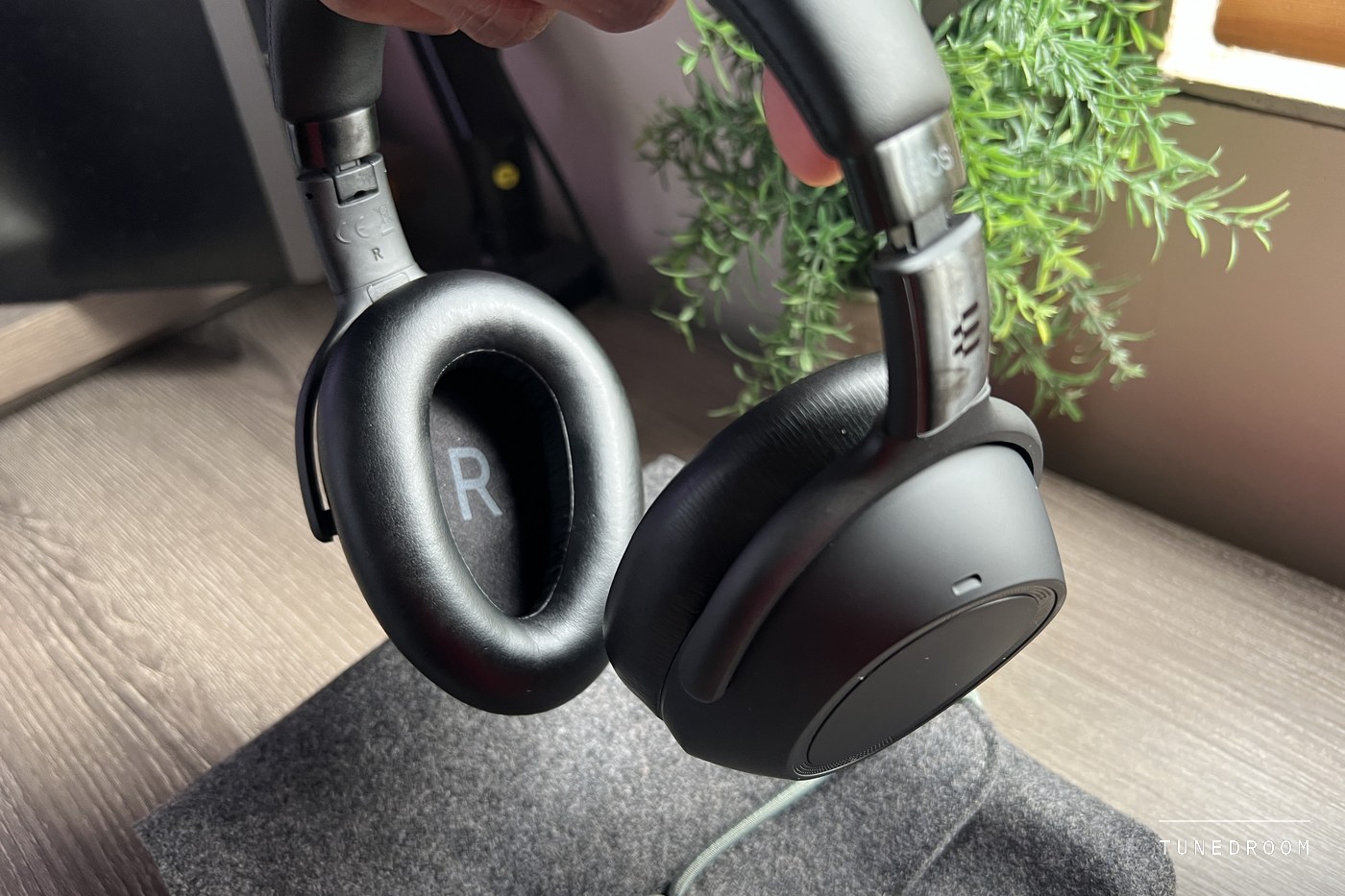
It looks right on a video call, matte black with small logos and a slim outline, and the metal and good plastic feel sturdy without extra weight. The cups fold flat and the band folds in to fit the carry pouch. EPOS sells clip-on replacement pads and suggests changing them now and then for hygiene.
A Twist for Power and a Pad for Everything Else
There is no power button. Turning the earcups into position switches it on, and laying them flat switches it off. It feels premium, and at a desk it means a headset laid flat is a headset that is off. The catch is that resting it around your neck can sometimes turn it off, and then it needs a moment to reconnect. Once I knew, it was easy to avoid.
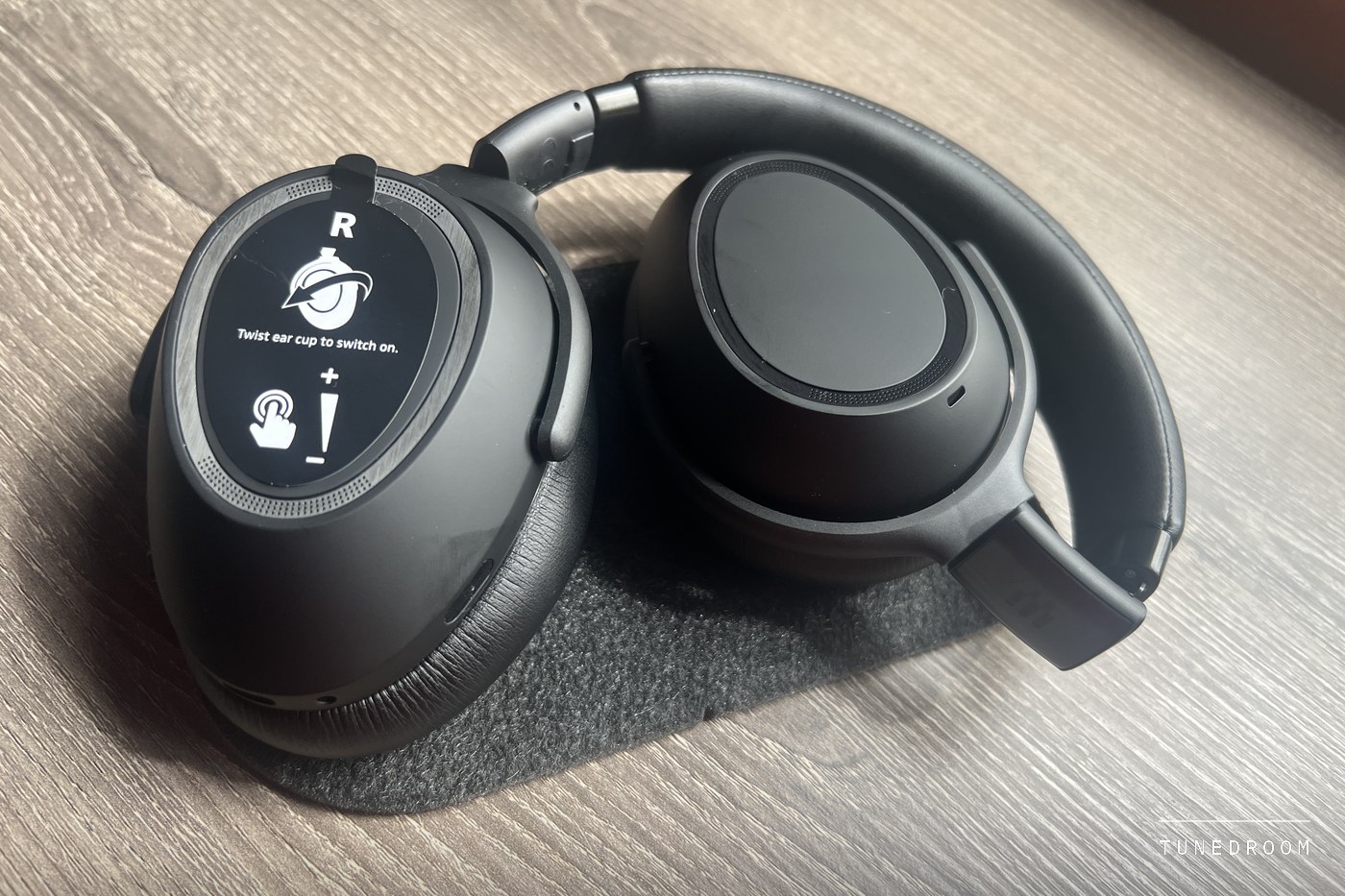
Everything else runs from a touch pad on the outside of one cup. A tap plays or pauses, vertical swipes change the volume, horizontal swipes skip tracks, and during a call a backward swipe mutes the microphone. It was responsive and accurate throughout, with no accidental triggers or missed inputs. The cancellation switch, Teams button, five battery lights and both sockets line the lower edge of a cup.
Sunday Night to Late Thursday on One Charge
Battery life changed how I treated it. I charged it on a Sunday night and did not need to again until late on Thursday, at six to eight hours a day with calls, music and cancellation all in the mix. Charging stopped being part of the working day.
EPOS's ratings explain why. It quotes up to 30 hours of music with cancellation off and 23 with it on, and four days at six to eight hours is 24 to 32 hours, right around those figures for a mix of both. A full charge takes about three hours, 15 minutes buys up to 90 minutes, and five lights show the level at a glance.
If it runs down at the desk, EPOS documents two wired fallbacks. By its manual, the USB-C cable carries calls and music from a computer while it charges, and the analog cable, 2.5 mm at the headset and 3.5 mm at the source, keeps cancellation working with Bluetooth off. The battery is replaceable too, by an authorised service centre while the warranty lasts.
After the Last Call of the Day
Work headsets usually ask you to forgive their sound, and this one never did. The listening was the best part, and several business features turned out to be listening features in disguise. The dongle keeps the laptop steady, the battery ran from Sunday night to late Thursday, the cancellation backs off in a quiet room and the limiter is aimed at the whole day.
The case against it is narrow. The cancellation is good rather than the strongest, the twist that saves battery can switch it off around your neck, and outdoors in wind the microphone compresses your voice a little, though callers still followed me without trouble. None of that costs much at a desk, which is where this headset belongs.
Buy it if your listening happens at a desk between calls. It sounds open, runs most of a working week on a charge and moves between laptop, phone, meetings and music without a stumble.
It scores 8.5 rather than higher because, as listening headphones, its cancellation stops short of the best and the power twist can cut the music around your neck.
Does music sound worse during a call?
Yes, on any Bluetooth headset. A call moves the link to the hands-free profile, rated here at 100 Hz to 8 kHz against 17 Hz to 23 kHz for music. Stereo returns when the microphone closes.
Can it stay connected to a laptop and a phone at once?
Yes. It holds two live connections and remembers eight devices. The dongle is one of the two, so laptop on the dongle and phone on Bluetooth is the natural setup. In my testing, phone calls took over from the laptop and handed back on their own.
Is the dongle a low-latency radio?
Not by EPOS's description. Its fact sheet lists Bluetooth 4.2, with A2DP for music and narrowband or wideband for calls. It earns its place by arriving paired and carrying the Teams features, and on my laptop it never dropped.
Does it have a busy light?
No. The headset's lights show battery and connection status. The dongle's light shows Teams connections, notifications and a muted microphone, but it sits in your computer, not where someone at the door can see it.
More in this category